Accounts & credentials
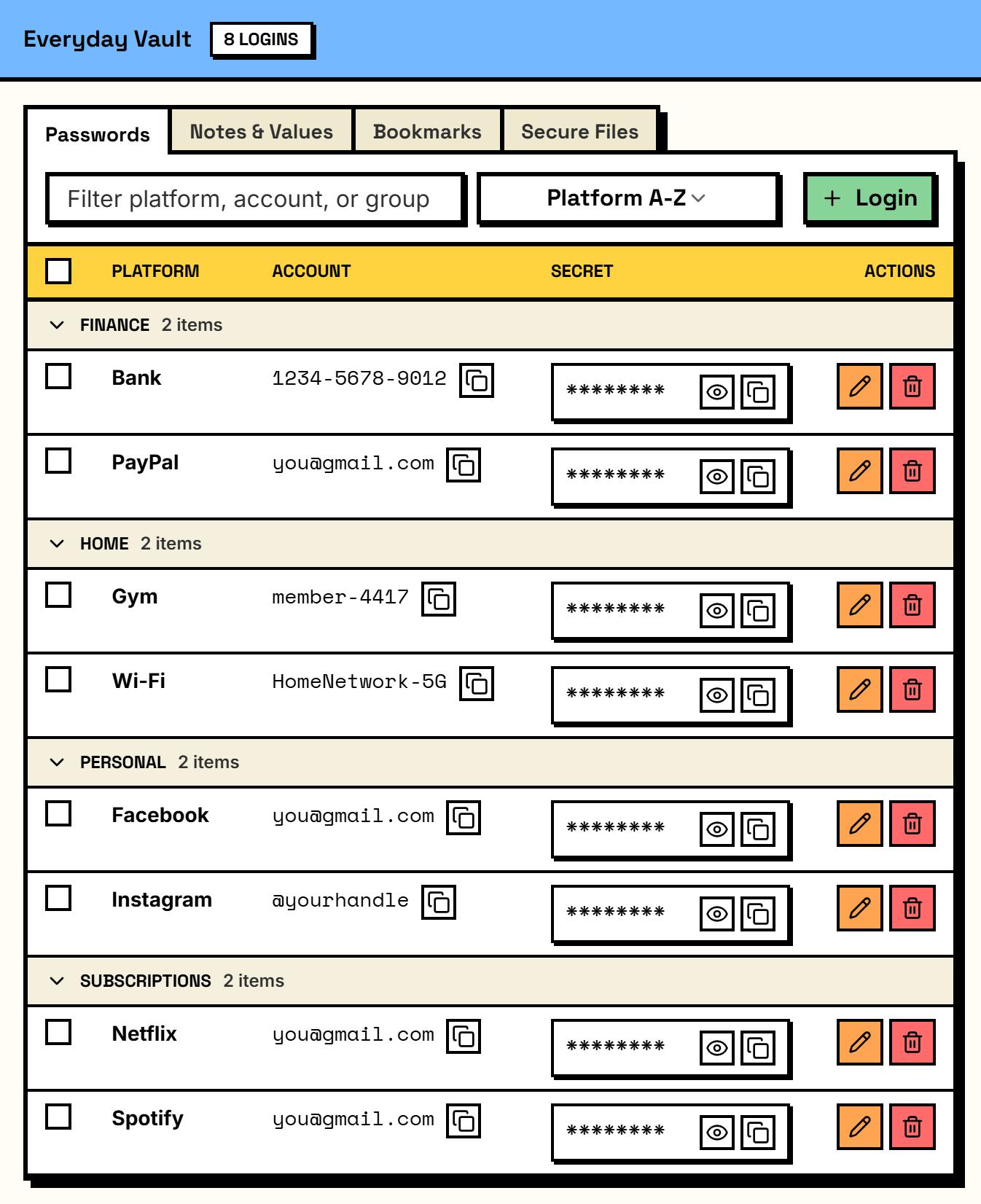
Logins, usernames, secrets, and profile links for the services you use.

A private vault for the things you'd hate to lose — passwords, keys, licenses, notes, and files. It lives on your machine, never a cloud.
Your vault is a single encrypted file — back it up and carry it between machines whenever you like.
 not a passwords.txt
 Keep the private things worth protecting in one place — then let the app organize them, generate strong secrets, and remind you to back them up.
Logins, usernames, secrets, and profile links for the services you use.
Dashboards, docs, and any site you want to keep — grouped and kept beside the project they belong to.
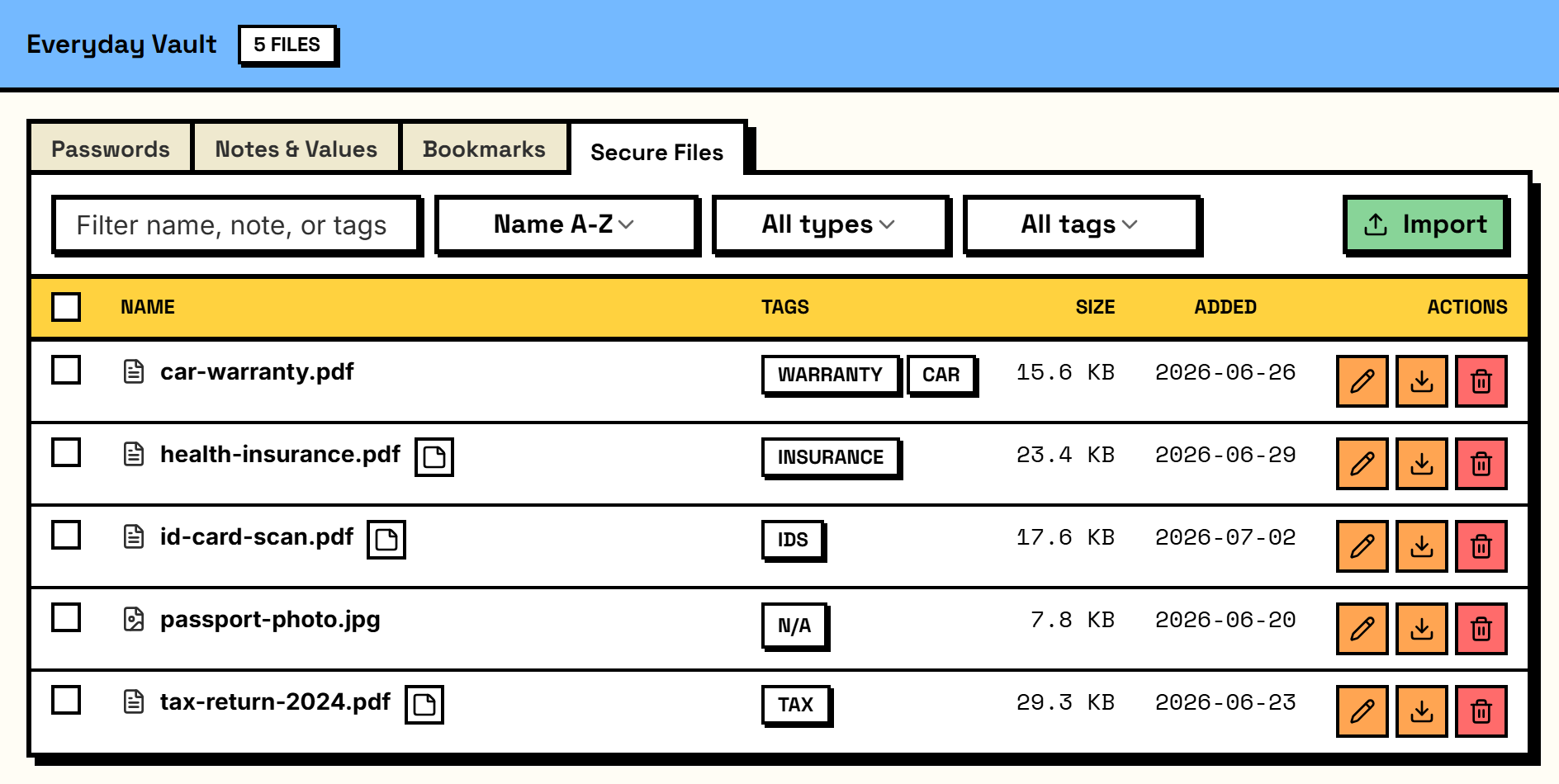
Store files and certificates, and track which certificates are valid, expiring, or expired.
Everyday codes, numbers, and one-off notes — labeled, grouped, and encrypted.
Keep every client, side project, or part of your life in its own tidy workspace — all inside one encrypted vault.
Create encrypted vault snapshots and restore them without an account or remote service. Restore checks the snapshot first and keeps a copy of your current vault, rolling back automatically if anything fails.
Get a Recovery Key at setup. Save it, and you can regain access even if you forget your master password.
Generate strong passwords or memorable passphrases — tune length, character sets, or word count — right where you save them, fully offline.
LocnLock started as a home for developer config, and that part hasn't gone anywhere: keys and values live beside the project that uses them, split by environment.
It's a per-project feature — switch it on for work, and it stays out of the way everywhere else.
 your .env, off the internet
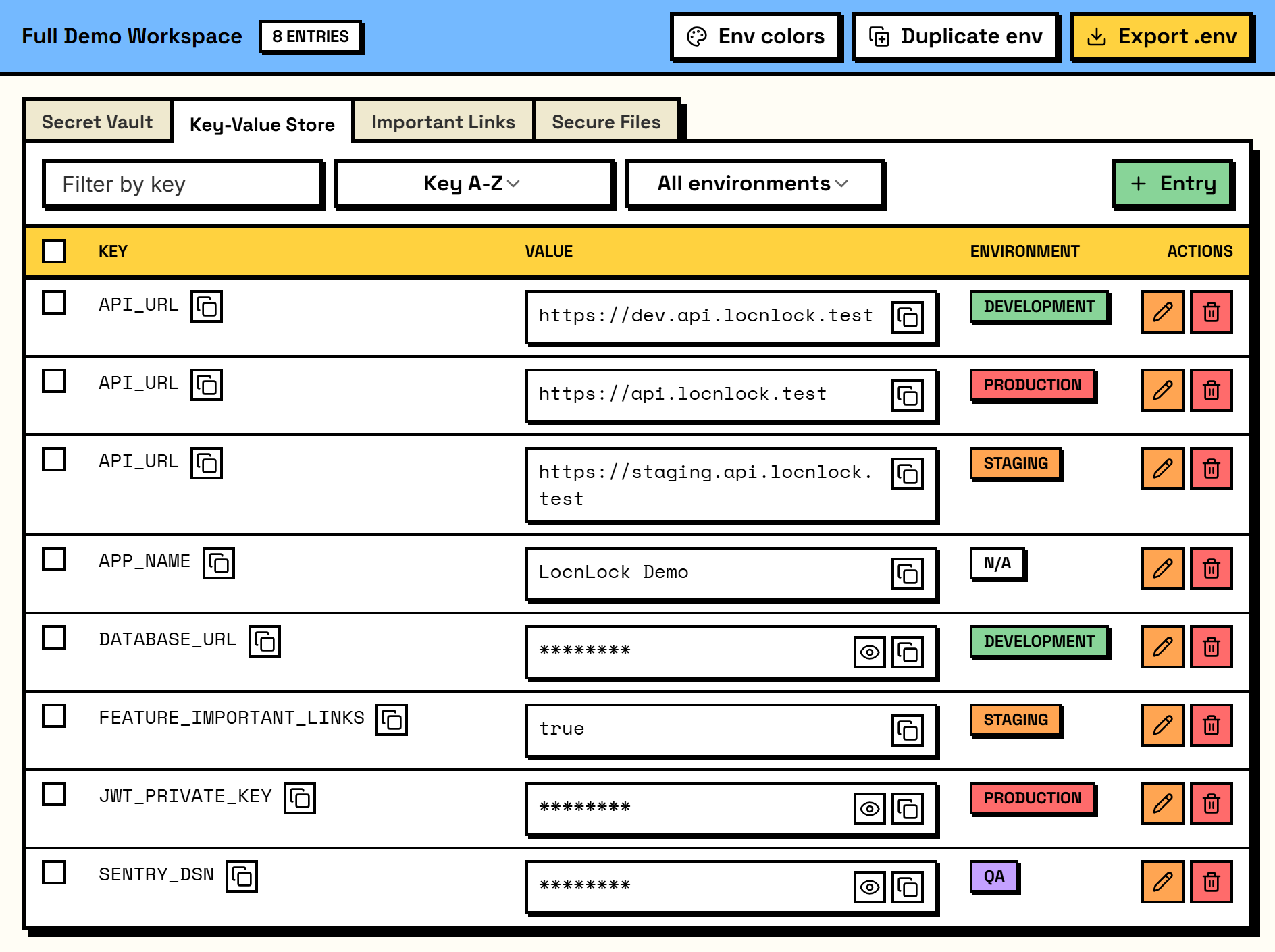
 Environment variables, API keys, and any name-to-value pair, organized by project and environment.
Label and filter values by environment — local, staging, production, or any name you choose — or keep them environment-free.
Bring an existing .env file into a project and export one environment when your app needs it.
LocnLock keeps its responsibilities narrow and tells you where the boundaries are.
Not a browser extension — nothing injected into web pages, nothing to phish, nothing syncing behind your back.
We publish the limits too — what LocnLock does not protect against.
Your names, secrets, notes, accounts, and files are scrambled with AES-256-GCM — unreadable without your master password.
Your master password — hardened with Argon2 — and the Recovery Key you save at setup are the only ways in, and neither ever leaves your device. There's no vendor backdoor: we can never unlock your vault, but you can, even if you forget your password.
Inactivity clears the unlocked session and returns the app to its lock screen.
Copying a sensitive value schedules the clipboard to clear itself after a short window, so a secret doesn't sit there.
A few details — environment tags, dates, and ordering — stay readable so lists sort instantly. Your names, notes, and secrets stay encrypted; even search decrypts them only in memory, never into an index.
LocnLock is coming to Windows through the Microsoft Store. macOS is next, on the Mac App Store — no date to promise yet, but it's on the way.
Every package is certified and signed by the Store. LocnLock is never offered as a download from a website — treat any such installer as fake.
Runs on 64-bit Windows 10 (version 2004, the May 2020 Update) or later, including Windows 11. ARM64 PCs running Windows 11 run the x64 app through Windows' built-in emulation.


Get notified
We'll email you the day the Mac app is ready — no spam, unsubscribe anytime.
LocnLock is a one-time $29.99 purchase on the Microsoft Store — less than a year of most subscriptions, then it's yours for good.
$29.99
one-time, on the Microsoft Store
Every feature included — no tiers, no account, no subscription, ever.
macOS is planned for later on the Mac App Store, priced separately at its launch; pricing is per platform, so a Windows purchase doesn't include macOS.
No. LocnLock is an offline desktop app. It does not require an account, backend, cloud sync, or telemetry.
Everything lives in a single encrypted file in the app's local data folder on your computer — no server, no cloud. The file is yours: it never leaves your device unless you export it yourself.
There's no cloud sync, by design. Moving your vault is always something you do explicitly: export an encrypted snapshot with Backup and Restore, then restore it on the other machine. It stays offline the whole time.
Everything sensitive is encrypted with AES-256-GCM: project names, entry keys, values, and notes, all account fields, your secure notes, and your saved links and files. Only structural metadata stays as local plaintext — environment labels, the sensitive flag, display order, timestamps, relationships, which features a project has switched on, and stored file sizes — so the app can sort and filter without unlocking your secrets.
LocnLock is a one-time $29.99 purchase on the Microsoft Store for Windows. A macOS version is planned for later on the Mac App Store, priced separately at its launch. There's no subscription. It's licensed per platform and includes both personal and commercial use — you may use it for your own work and business, but you can't resell or redistribute the app itself. The purchase is tied to your Microsoft account under the Store's standard device rules, so it isn't a per-seat team license — for a team, each person buys their own copy.
64-bit Windows 10 (version 2004, the May 2020 Update) or later, including Windows 11, installed through the Microsoft Store. The package is x64; ARM64 PCs running Windows 11 run it through Windows' built-in emulation. A macOS version is planned for later — there's no Linux version.
Purchases and refunds are handled by the Microsoft Store under its refund policy — LocnLock doesn't process payments or store any billing details.
macOS is planned for later, via the Mac App Store, but there is no announced release date. Windows is the current distribution target, delivered through the Microsoft Store.
It keeps working. LocnLock has no server, account, or activation check, so the app runs offline exactly as installed, your vault file stays on your machine, and your backups keep restoring. Nothing about your data depends on us being around.
No. Your vault is encrypted with AES-256-GCM and only your master password — hardened with Argon2 — unlocks it. There's no vendor backdoor, so a stolen vault file stays unreadable; a strong, unique master password is what protects it.
Keep your own backups. Because everything is local, a lost or wiped device means lost data unless you have one — so use Backup and Restore to export an encrypted snapshot and keep it somewhere safe, like an external drive or your own cloud storage (Google Drive, OneDrive). The snapshot carries the same encryption as your vault, so your secrets stay unreadable there — only structural labels like environment names and timestamps are visible, the same as inside the vault. Restore checks the snapshot first and keeps a copy of your current vault, rolling back automatically if anything fails, so a bad backup can't destroy what you have. One thing to know: a backup opens with the master password and Recovery Key you had when you exported it, so export a fresh one after you change either.
You get a Recovery Key when you first set up your vault. Save it somewhere safe — with it you can reset your password and regain access even if you forget it. There's no vendor backdoor, so if you lose both your master password and your Recovery Key, the encrypted data can't be recovered by anyone.
No — and that's deliberate. It stores personal credentials, recovery codes, and private notes, but nothing injects into web pages and nothing syncs, so there's no browser-extension surface to phish. It's a vault, not an autofill tool.
LocnLock is a single-user, local app — there are no shared vaults, accounts, or multi-user features. Each person runs their own local vault, purchased under their own Microsoft account. That covers shared PCs too: give each person their own Windows account, and each one automatically gets its own separate encrypted vault with its own master password — a single shared Windows login would share one vault.
LocnLock has no ad model, no analytics, and no servers that ever see your vault — so there is nothing of your data to sell, leak, or lose.
It's a one-time app built by an independent developer, Rahman Mubarok — sold once, not run as a service. The incentive is simple: make something worth paying for, not harvest your data or lock you into a subscription. We sell software, not your data.
And it's honest about the limits — a weak master password is still the weak link if someone copies your vault file. There is no vendor backdoor, which also means no one, us included, can recover a vault once both the master password and its Recovery Key are gone.
YOUR SECRETS. YOUR MACHINE.